Configuring KEV sources
Note
KEV integration requires Dependency-Track 5.1 or newer.
CISA KEV, ENISA EU KEV, and VulnCheck KEV are the three KEV catalogs Dependency-Track can mirror into its internal database. You pick which ones to enable, configure them through the web UI, and trigger an initial mirror so KEV status appears without waiting for the next scheduled run.
For background on what each source provides and how mirrored assertions attach to vulnerabilities, see About KEV data sources.
Prerequisites
For each source you plan to enable, allow outbound HTTPS access from the API server to the corresponding host:
| Source | Host |
|---|---|
| CISA KEV | www.cisa.gov, or a configured mirror host |
| ENISA EU KEV | raw.githubusercontent.com |
| VulnCheck KEV | api.vulncheck.com, plus the storage host of the download URL it returns |
VulnCheck KEV downloads the catalog in two steps. Dependency-Track asks api.vulncheck.com for the current backup,
then fetches the archive from the pre-signed URL in the response, which points at a separate storage host. An
allowlist that covers only api.vulncheck.com makes the mirror run fail at the download step.
If outbound traffic must go through a proxy, see Configuring an HTTP proxy. If the proxy intercepts TLS, see Configuring internal CA trust.
VulnCheck KEV requires an API token. CISA KEV and ENISA EU KEV require no credentials.
Enabling sources
Open Administration > KEV Sources in the web UI. Each source has its own configuration panel.
CISA KEV
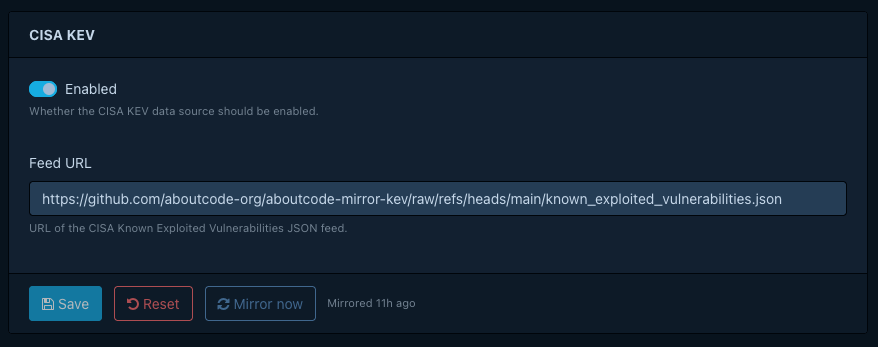
- Open Administration > KEV Sources > CISA KEV.
- Select Enabled if it's off. Dependency-Track turns CISA KEV on by default.
- Select Save. Mirror now stays unavailable while the form has unsaved changes.
- Select Mirror now to download the catalog immediately.
The default feed host blocks some networks
The default feed URL, https://www.cisa.gov/sites/default/files/feeds/known_exploited_vulnerabilities.json,
rejects requests from some IP ranges and hosting providers. Operators have observed this from servers hosted at
Hetzner. If a mirror run fails with a connection or HTTP error, change Feed URL to one of these mirrors
instead:
https://raw.githubusercontent.com/cisagov/kev-data/main/known_exploited_vulnerabilities.json, CISA's own GitHub mirrorhttps://raw.githubusercontent.com/aboutcode-org/aboutcode-mirror-kev/main/known_exploited_vulnerabilities.json, a community mirror hosted by AboutCode
CISA KEV assertions attach to vulnerabilities by CVE ID, resolved against the NVD namespace. See How KEV matching works.
ENISA EU KEV
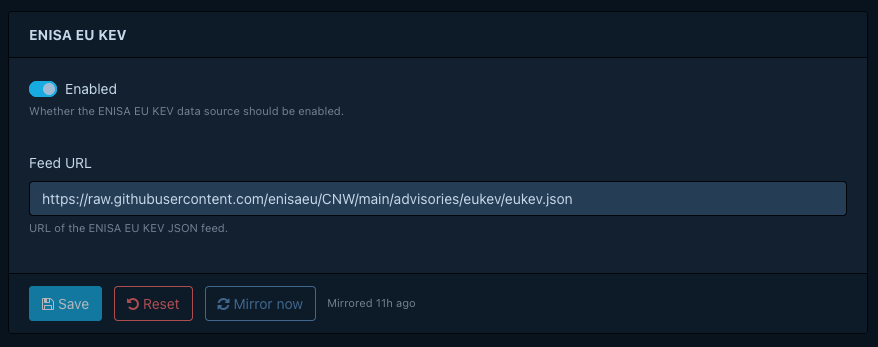
- Open Administration > KEV Sources > ENISA EU KEV.
- Select Enabled if it's off. Dependency-Track turns ENISA EU KEV on by default.
- Select Save. Mirror now stays unavailable while the form has unsaved changes.
- Select Mirror now to download the catalog immediately.
Note
ENISA EU KEV entries without a CVE ID do not produce a KEV assertion, so they never mark a vulnerability as known exploited.
VulnCheck KEV
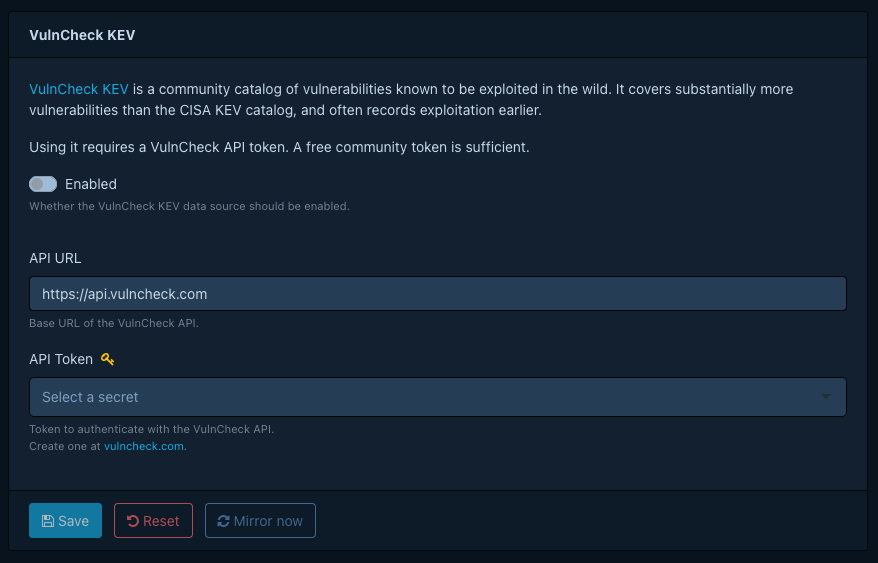
- Open Administration > KEV Sources > VulnCheck KEV.
- Select Enabled to turn on VulnCheck KEV. Dependency-Track turns it off by default.
- Enter your token in API Token. Create a free community token on VulnCheck's website. Dependency-Track stores the token as a managed secret, not in clear text.
- Select Save. Mirror now stays unavailable while the form has unsaved changes.
- Select Mirror now to download the catalog immediately. A wrong or expired token surfaces as a failed mirror run, so check the status after the run finishes.
Tip
VulnCheck KEV covers vulnerabilities CISA KEV misses, and often reports exploitation earlier. See Picking sources for the trade-offs.
Triggering an initial mirror
After enabling a source for the first time, use Mirror now rather than waiting for the next scheduled run. The configuration panel shows mirror status, pending, running, succeeded, or failed, with a relative timestamp.
Scheduling mirror runs
A single cron property controls all KEV sources:
dt.task.kev-mirror.cron, which defaults to
0 2 * * * (daily at 02:00 UTC). Each run mirrors every source that's on and skips the ones that are off. A new
deployment runs the task once shortly after it starts, so the first mirror doesn't wait for the schedule. Later
restarts don't trigger a mirror.
Verifying KEV status
Once a mirror completes, open a vulnerability you know is in one of the enabled catalogs, for example
CVE-2021-44228 (Log4Shell), in the portfolio Vulnerabilities list, the project Findings view, or a Vulnerability
Audit view.
Confirm the KEV column shows the crosshair icon, and select it to open the assertion details. Matching relies on
vulnerability aliases, not on component identifiers. See How KEV matching
works.
If the KEV column stays empty after mirroring, check the API server logs for mirror errors.
