Organizing projects into hierarchies
Projects can sit flat in the portfolio, or you can nest them under parents. This guide covers nesting: setting parents, deciding when a parent should be a collection project, and choosing among the three aggregation modes.
For the underlying model and its constraints, see About projects. The actions in this guide require portfolio management permissions. See the Permissions reference for the exact set.
Tags or hierarchy?
Tags and hierarchies overlap as ways of organizing the portfolio. They are not mutually exclusive, and a useful rule of thumb is:
- Reach for tags when the grouping is cross-cutting (
pci,external-facing,team-platform) and a project may belong to many groups at once. - Reach for a hierarchy when the grouping is structural (a product made of services, a service tracked across environments, a service tracked across releases) and each project has one natural parent.
Hierarchies also propagate access control to descendants and unlock collection-project aggregations. Tags do not. The rest of this guide covers hierarchies.
Set a parent
Set the parent when creating a project, or change it later by editing.
- Open Projects and select Create Project, or open an existing project and select View Details.
- In the General tab, find the Parent field. Start typing. The picker searches the portfolio asynchronously and excludes the project's own descendants.
- Pick a parent and save.
Make the parent a collection project
A regular parent has its own components and BOMs. A collection project has neither. It exists only to combine metrics from its children. Switch to a collection project when:
- The parent is a logical grouping (
Acme Web Platform,Mobile App) rather than something with its own SBOM. - You want a single risk number, vulnerability count, and violation count for the group.
- You don't want the parent to accept BOM uploads.
To convert (or create) a parent as a collection project, in the Create Project or Edit Project form's General tab:
- Toggle Collection project on. The Classifier field disappears. Collection projects have no classifier.
- Choose a Project Collection Logic (see Choose a collection logic).
- If you picked the tag-filtered logic, fill in the Collection Tag input.
- Save.
Once a project has any components or services, Dependency-Track refuses to convert it to a collection project. Empty the project, or clone its useful state into a child, before flipping the toggle.
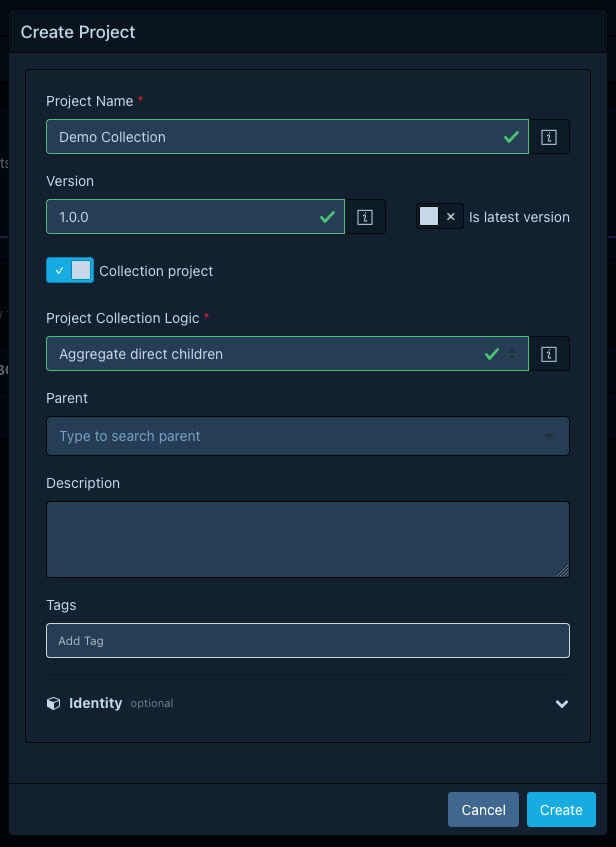
Choose a collection logic
The Project Collection Logic dropdown offers three modes. Pick the one whose semantics match the question the parent should answer.
Roll up every direct child
In the dropdown, pick Aggregate direct children. This mode rolls up every direct child, irrespective of tag or version.
Use it when every child is in scope and the parent should reflect the union of their state. A typical pattern: a parent representing a product, with one child per microservice that is live in production.
Be aware that every child counts, including stale or experimental ones. If you keep many old versions of children around, prefer one of the other two modes.
Roll up children carrying a tag
In the dropdown, pick Aggregate direct children with tag and fill in the Collection tag input. The aggregation rolls up only direct children carrying that tag.
Use it to slice the same set of children different ways. A common pattern is to create a few
collection projects under the same parent (one tagged prod, one tagged staging, one
tagged dev), each aggregating only the children in that environment.
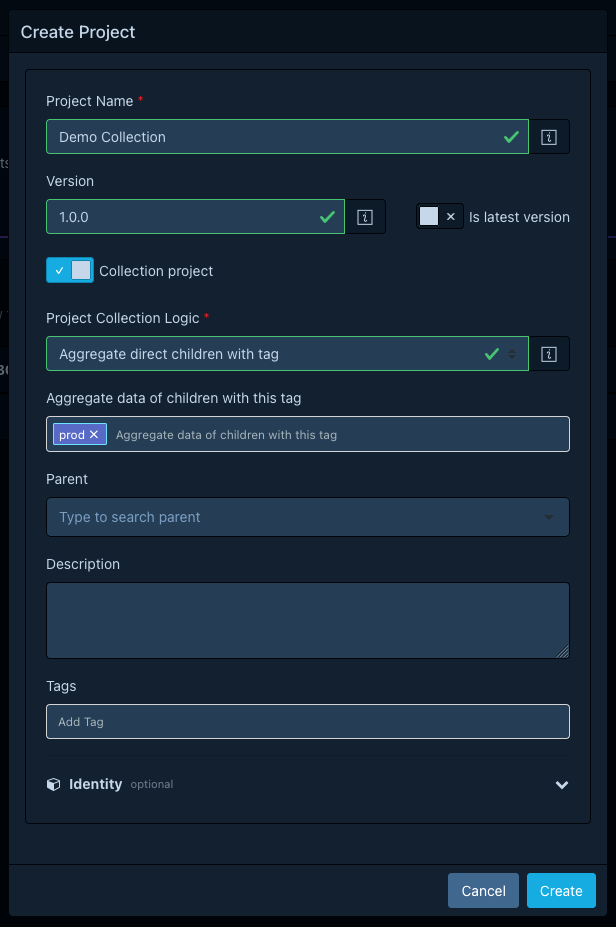
Roll up the latest version of each child
In the dropdown, pick Aggregate latest version children. The aggregation rolls up only direct children marked as the latest version.
Use it when each child has many versions and you want the parent to reflect the current release. Promoting a new release is a single flip of the latest-version flag (see Managing project versions), and the aggregation follows automatically.
Worked patterns
A few hierarchies that come up often:
- Product, service, environment. A collection-project parent for the product, regular
parents for each service, regular children per environment (
dev,qa,prod). Tag the environment children. Use the tag-filtered mode at the product level if you want a per-environment aggregation. - Service, version. A collection-project parent per service using the latest-version mode, with a regular child per version. Cloning a new version with Is latest version updates the aggregation automatically.
- Team, owned services. A collection-project parent per team using the all-children mode, with each owned service as a child. Useful for ownership reports and team-scoped notifications.
See the children of a collection project
Open the parent. Instead of Components, Services, and Dependency Graph, the detail page shows a Collection Projects tab listing the children that contribute to the aggregation, with their per-child metrics.
