Triaging policy violations
Reviewers triage policy violations from a project's Policy Violations tab. The required
permissions are VIEW_POLICY_VIOLATION to see violations and POLICY_VIOLATION_ANALYSIS to set an
analysis state, add comments, or suppress. Neither permission grants the ability to create or edit
policies; Managing component policies covers that.
For background on what a violation is and what its analysis states mean, see About component policies.
Reviewing violations on a project
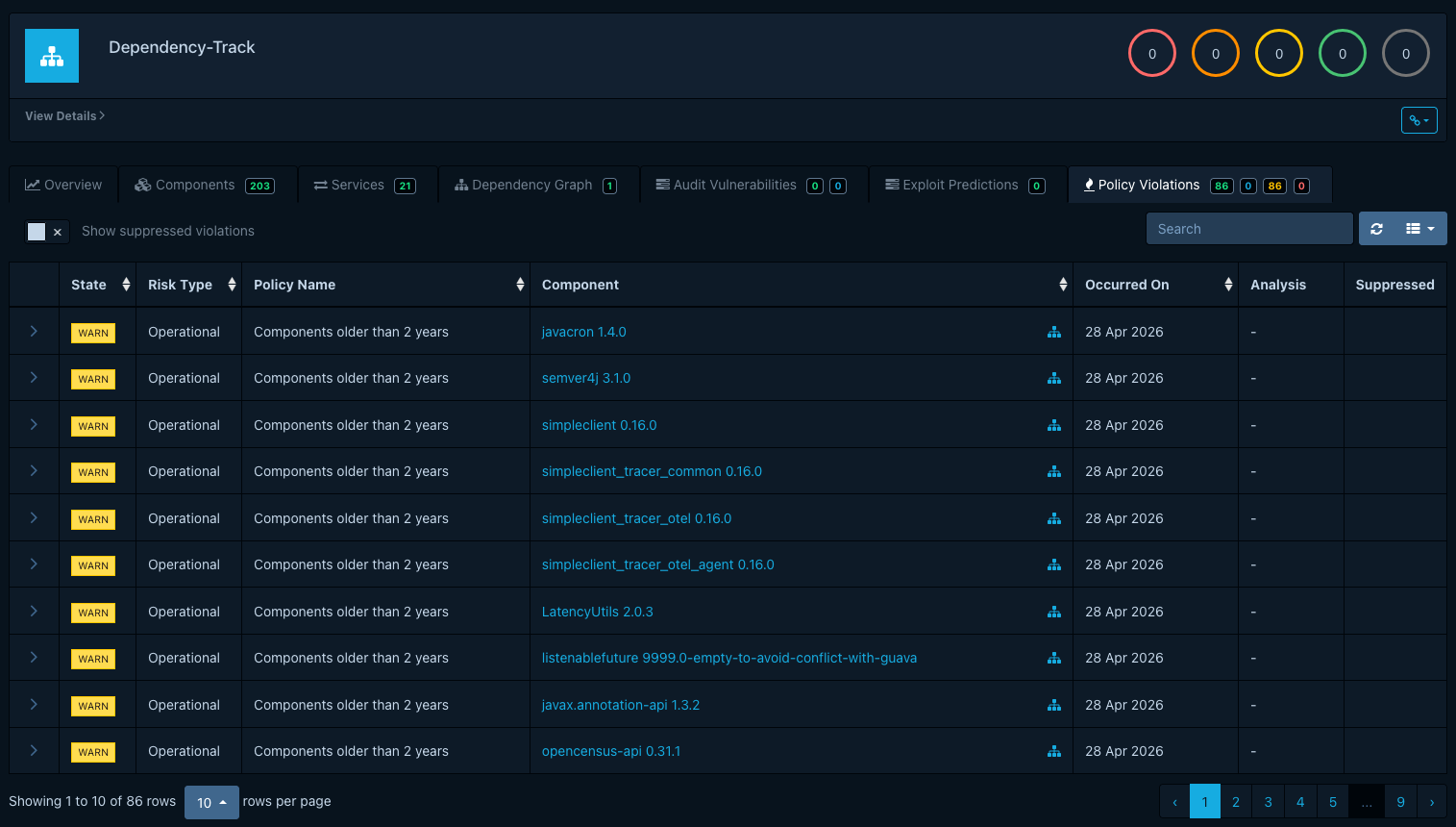
Open a project and switch to the Policy Violations tab. Each row shows the component, the
violating condition, the violation type (License, Operational, or Security), and the violation's
inherited state (INFO, WARN,
or FAIL). The state comes from the policy; the violation itself does not expose it for editing.
Recording an analysis
Open a violation to expose the audit drawer:
- Set an analysis state:
APPROVED,REJECTED, orNOT_SET. Dependency-Track does not assign a fixed meaning to these. See Analysis states for the conventions teams typically settle on. - Add a comment that records the reasoning. Each comment carries a timestamp and an author; together with state changes they form the audit trail.
- Optionally toggle Suppressed. Suppression hides the violation from project metrics, badges, and CI/CD gates. Suppression is the operational lever; the analysis state records the reasoning behind it.
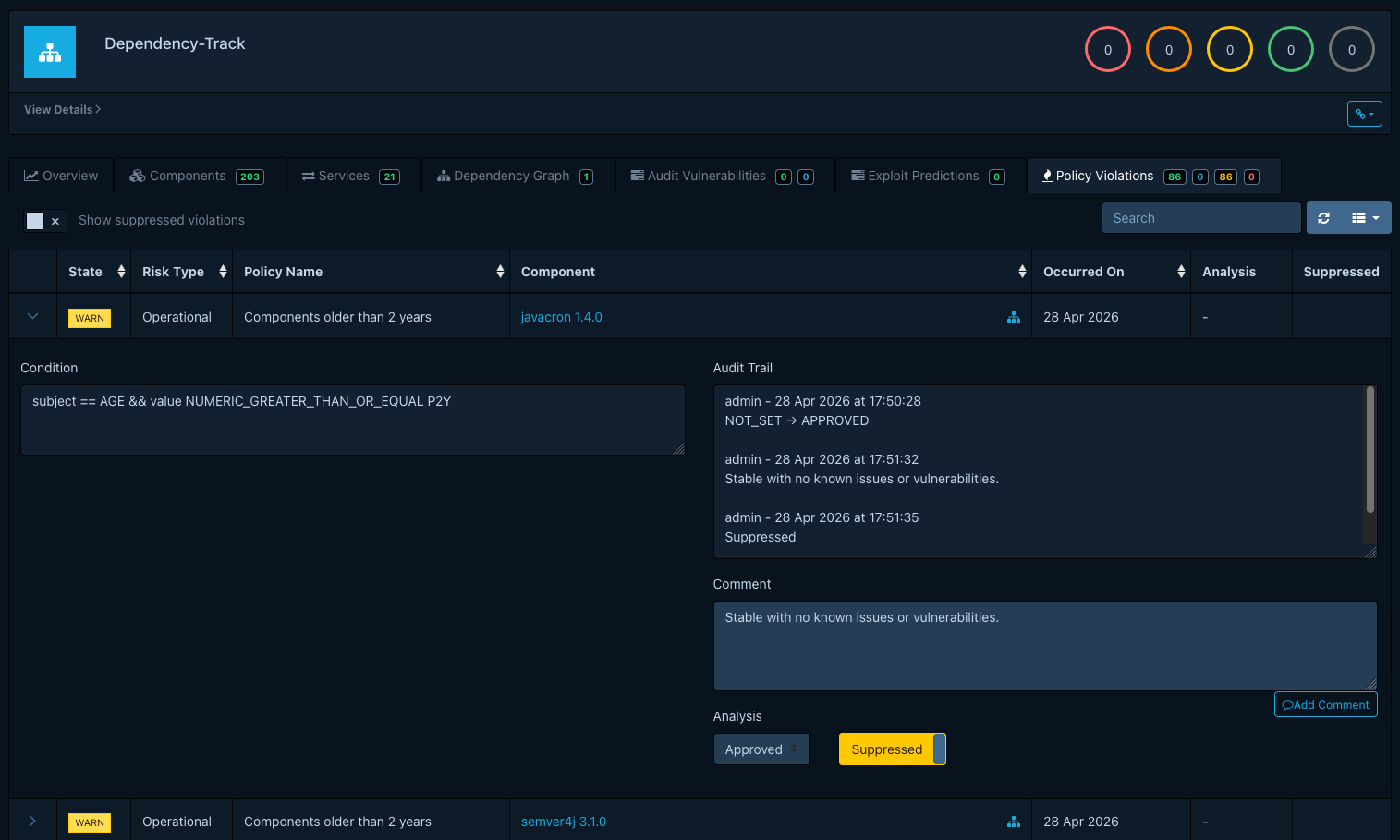
The audit trail persists across re-evaluations. If a future analysis re-raises a violation against the same component (for example, after the offending component returns in a new BOM), suppression carries over, and a comment in the audit trail makes the history visible.
