Running v4 and v5 in parallel
Given an existing production deployment of v4, it can be helpful to run a v5 test deployment in parallel, to compare behavior and test new features on real data. This is useful for evaluation and validation before committing to the one-shot data migration described in Migrating from v4 to v5.
Note that this technique mirrors only BOM uploads, not full request traffic.
v4 emits a BOM_PROCESSED notification after synchronizing each BOM with its database;
the parallel v5 instance receives that notification and re-uploads the BOM.
Anything not driven by a BOM upload (manual project edits, policy changes, findings triage,
notifications) does not replicate.
The subject of BOM_PROCESSED notifications contains the original BOM (Base64-encoded),
plus the name and version of the target project, which is enough to construct a BOM upload
request for another Dependency-Track instance.
All that's needed is an app that can:
- Receive Webhooks, and parse the JSON payload within them
- Perform a mapping from notification subject, to BOM upload request
- Forward the BOM upload request to another Dependency-Track instance
This can be scripted, but Bento reduces it to a single config file.
Tip
You can use the same approach outlined here to construct a pre-prod / staging environment.
Conceptually, this is what the setup does:
sequenceDiagram
    Client->>DT v4: Upload BOM<br/>PUT /api/v1/bom
    DT v4->>DT v4: Validate and<br/>Process
    DT v4->>Bento: Notification<br/>BOM_PROCESSED
    Bento->>Bento: Map to BOM<br/>upload request
    Bento->>DT v5: Upload BOM<br/>PUT /api/v1/bom
    DT v5->>DT v5: Validate and<br/>Process
Creating an API key
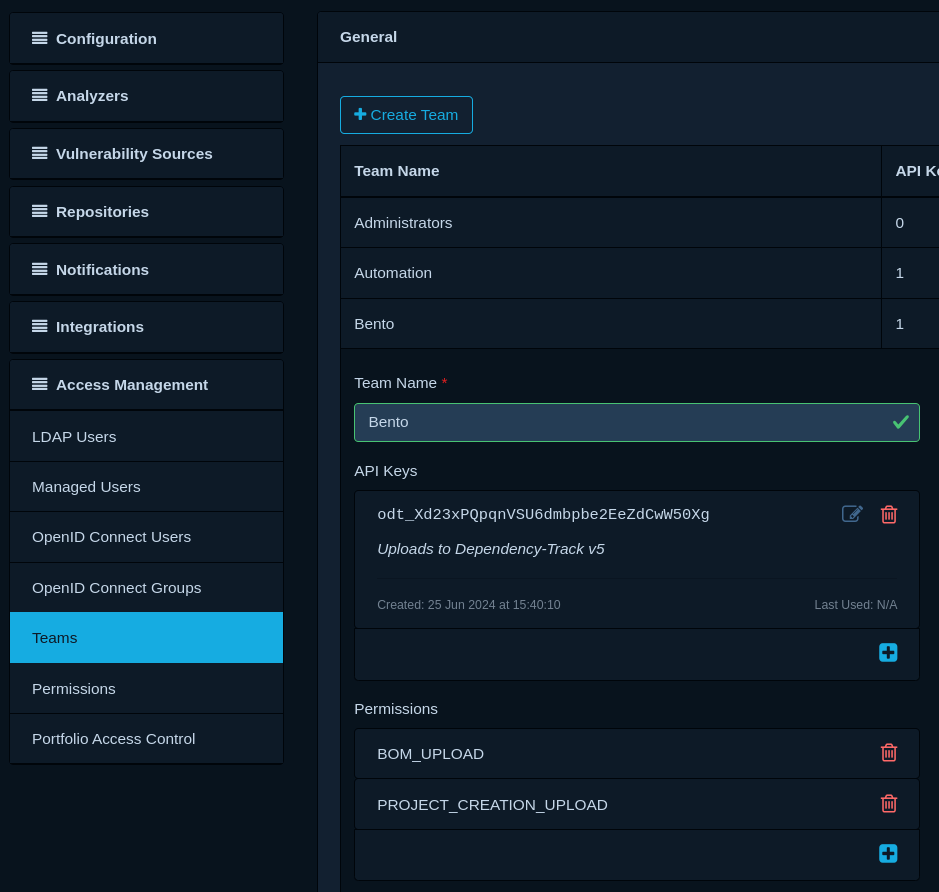
To upload BOMs to the Dependency-Track v5 system, an API key with BOM_UPLOAD and PROJECT_CREATION_UPLOAD
permissions is required. Log into your Dependency-Track v5 instance, navigate to Administration -> Access Management
-> Teams, and create a new team with accompanying API key:
Deploy Bento
Bento works with the concept of pipelines, which are configured via YAML. The following pipeline achieves the desired outcome:
1 2 3 4 5 6 7 8 9 10 11 12 13 14 15 16 17 18 19 20 21 22 23 24 25 26 27 28 29 30 | |
Refer to the respective pipeline component's documentation for more details:
Run Bento as container:
1 2 3 4 5 6 | |
Configure notification
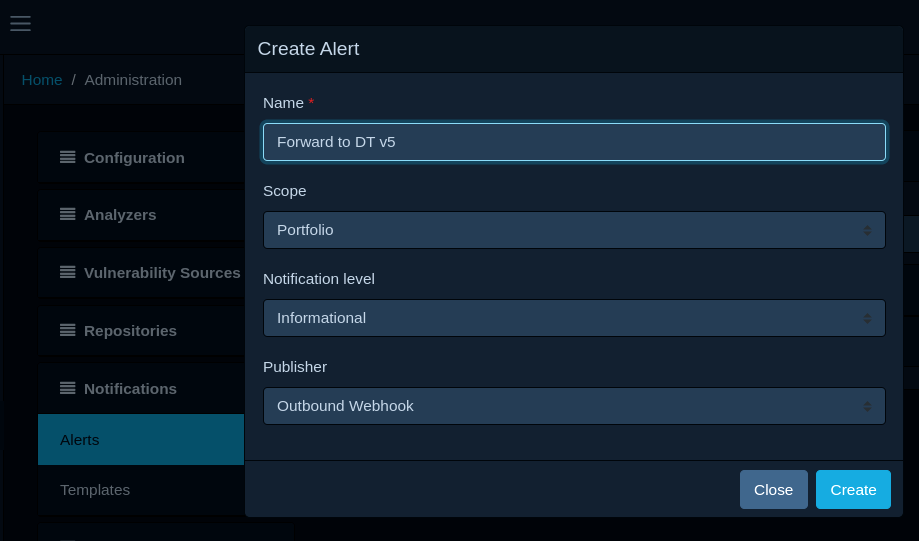
Log into your Dependency-Track v4 instance, navigate to Administration -> Notifications -> Alerts, and create a new alert with the following settings:
- Scope: Portfolio
- Notification level: Informational
- Publisher: Outbound Webhook
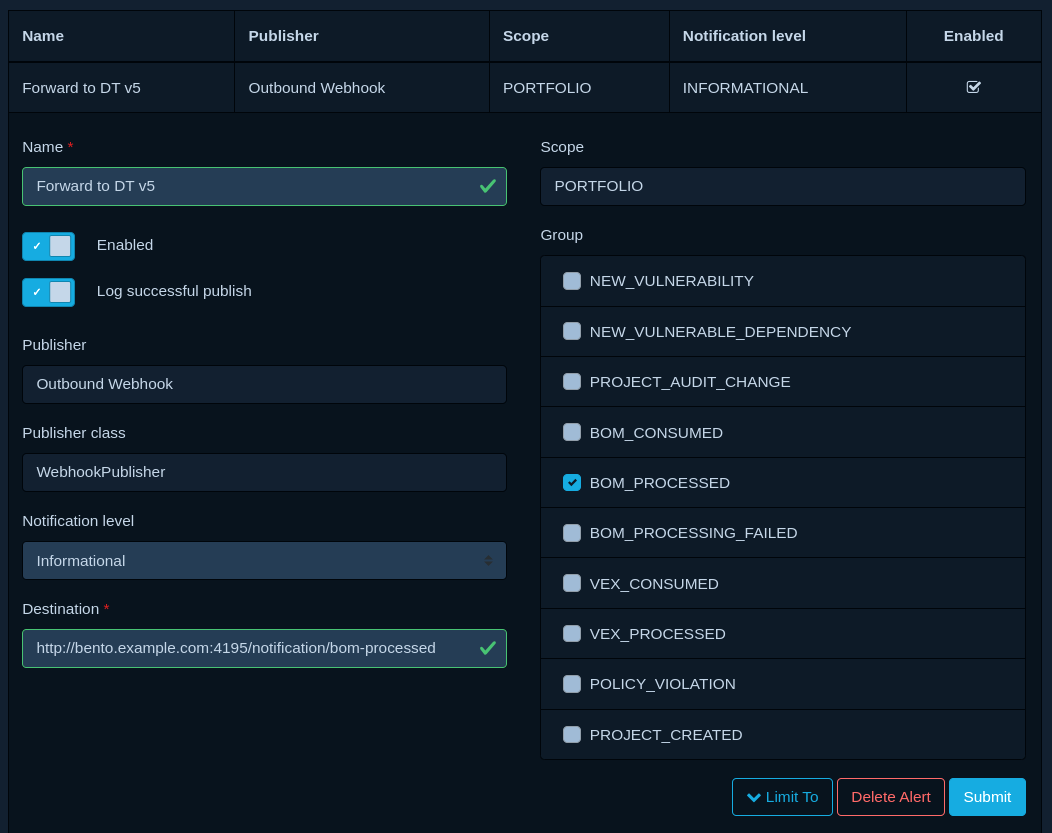
Once created, enable BOM_PROCESSED under Groups, and configure the URL of your Bento endpoint as Destination:
Testing
- Upload a BOM to a project in your Dependency-Track v4 instance.
- Head over to your Dependency-Track v5 instance and wait for the upload to replicate.
If all goes well, you're done.
Tip
If the BOM upload does not replicate:
- Check the logs of your Dependency-Track v4 deployment for any errors during notification publishing.
- Check the logs of Bento for any errors or warnings.
- Check the logs of your Dependency-Track v5 deployment for any errors during BOM processing.
- Ensure that the API key you created has the correct permissions.
- Ensure that Bento is reachable from your Dependency-Track v4 deployment.
- Ensure that your Dependency-Track v5 deployment is reachable from Bento.
