Configuring project retention
A scheduled maintenance task can delete inactive projects according to a retention policy. By default the task is off. This guide covers what the task does, how to choose a policy, and how to configure it.
For background on what marking a project inactive means, see Managing project versions › Retire an old version and About projects › Retention.
What the task does
The maintenance task runs periodically and, when retention is on, deletes inactive projects whose retirement falls outside the configured policy. Each deletion writes a line to the app log.
It never touches active projects. Marking a project inactive is the gate. Once a project is inactive, the policy below decides whether it sticks around.
Deletion is permanent. The project, its components, audit history, properties, and access list go with it.
Pick a policy
Two modes are available. Pick exactly one.
By age
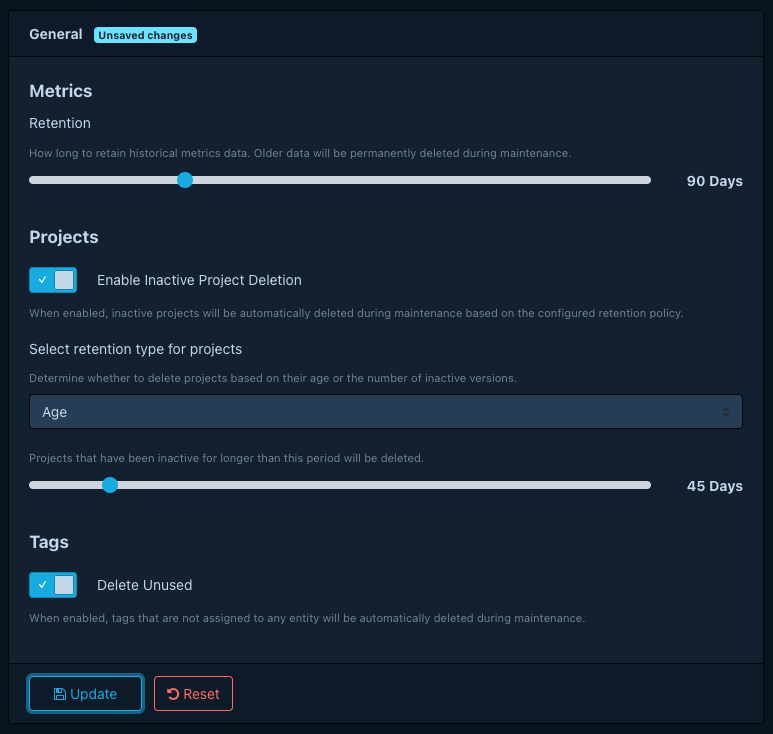
Delete inactive projects whose retirement is older than a chosen number of days. The UI labels this mode Age, with a slider for the cutoff in days (default 30).
Use this when "old" is the right concept: a project that retired long enough ago is no longer interesting.
By version count
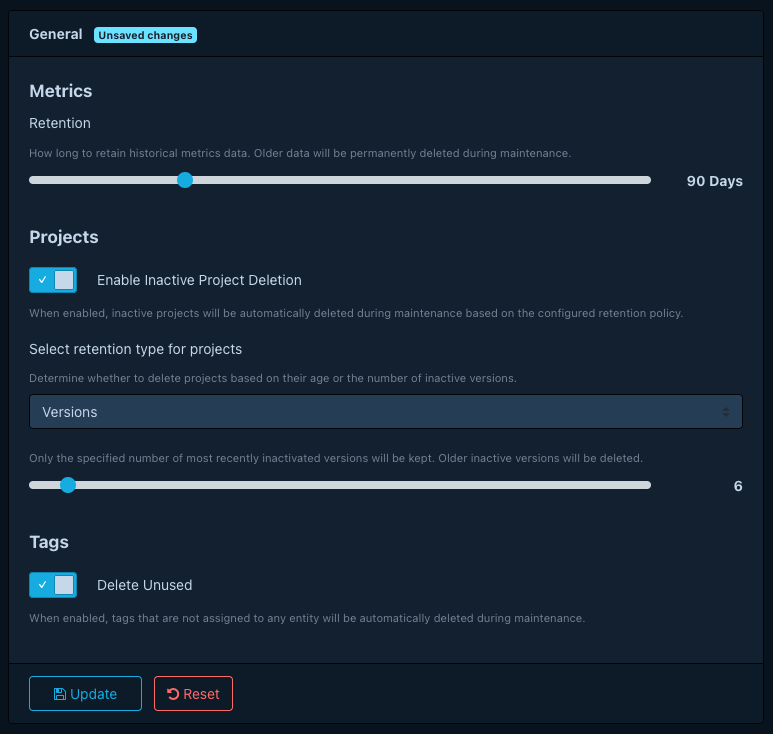
For each project name, keep the most recent inactive versions and delete the rest. Recency follows the time at which each project went inactive. The UI labels this mode Versions, with a slider for the number of versions to keep (default 2).
Use this when you want a bounded archive ("always keep the last two retired releases"), regardless of how long ago the projects became inactive.
Configure it
Open Administration > Configuration > Maintenance and find the Projects Retention section.
- Toggle Enable Inactive Project Deletion on.
- Pick a Project Retention Type: Age or Versions.
- Set the slider for the chosen mode (days, or version count).
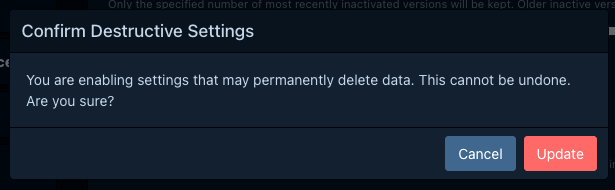
- Save. If the change widens what the task deletes, a Destructive Action Confirmation dialog appears. Confirm to apply.
Turn retention off
Toggle Enable Inactive Project Deletion off in the same panel. The next time the maintenance task runs it logs that retention is off and deletes nothing.
What deletion takes with it
Deleting a project cascades to everything scoped to it: its components and services, the dependency graph, the audit history (analyses, comments, suppressions), project properties, project-tag attachments, and access-list entries. Resources shared across projects are not affected. Tags themselves remain (an orphan tag is later cleaned up by the tag-maintenance task). Vulnerability records remain, and any other project that referenced shared data continues to do so. Dependency-Track offers no soft-delete and no undo.
Operational notes
- Active projects remain untouched. The only way to make a project eligible is to mark it inactive.
- The task processes in batches and may run for a while on the first execution after you turn it on. Each deletion produces a log line, so tail logs to audit a deployment.
- The task acquires a database lock so only one API server runs it at a time, even in a scaled-out deployment.
- Dependency-Track fires a project's notifications as part of normal flow up to deletion. The deletion itself does not emit a portfolio notification.
