About projects
A project is the unit of tracking in Dependency-Track. Everything else, from components to findings to policy violations to metrics, hangs off projects. The portfolio is the set of all projects in an instance, and how you model it shapes what reports, alerts, and aggregations are useful later.
This page explains what a project is, how projects relate to each other, and the deliberate limits of the model.
What a project is
Each project has:
- A name and an optional version that together identify it.
- A classifier naming the kind of thing the project represents (an app, a library, a container image, a firmware image, and so on, matching CycloneDX). See the classifier list.
- Optional ecosystem identifiers: a Package URL, a CPE, or a SWID tag.
- Descriptive metadata such as a group, a description, authors, a supplier, a manufacturer, and external references.
- Tags (categorical labels) and project properties (typed key-value metadata).
- An optional parent, forming a hierarchy.
- An access list controlling which teams can see it.
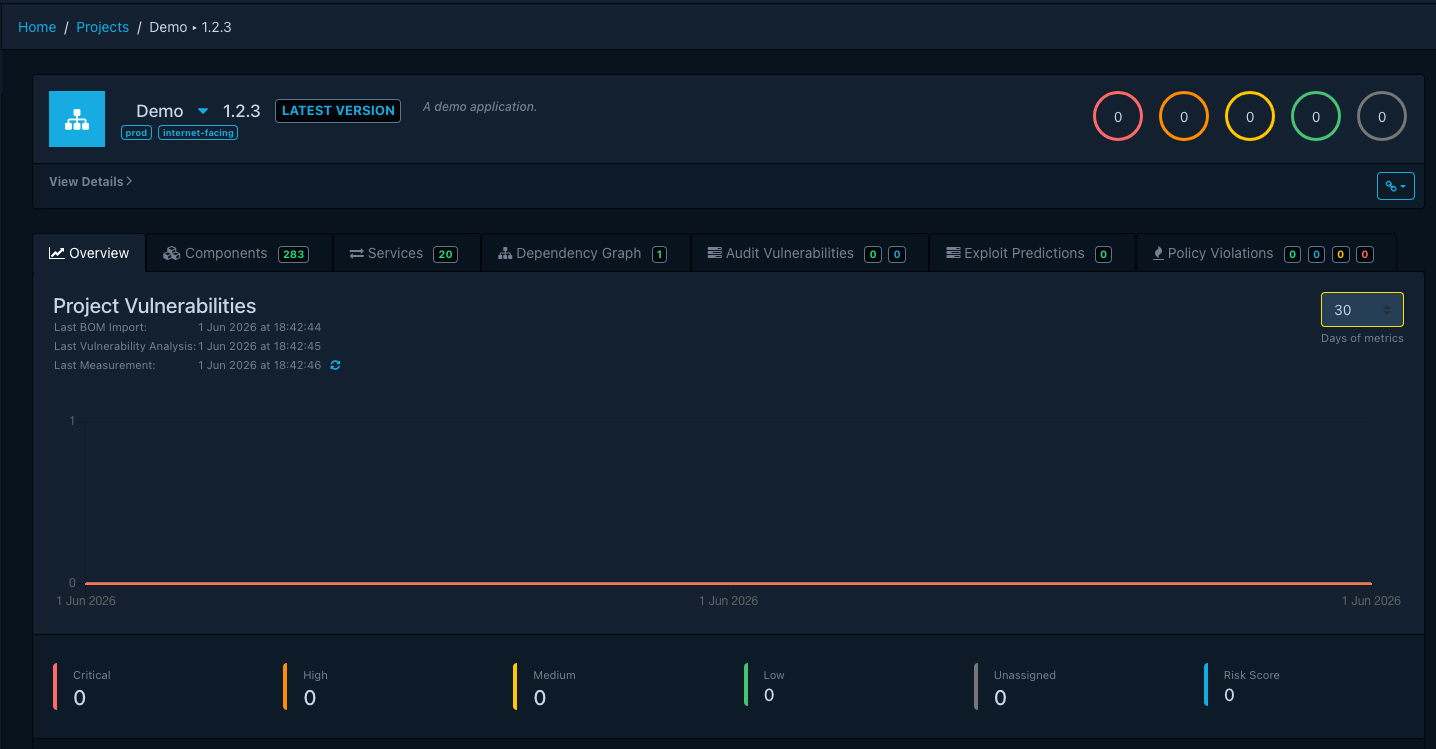
- Lifecycle state: an active flag, the timestamp of the last BOM import, the timestamp of the last vulnerability analysis, and the current risk score.
What Dependency-Track does not assume
A few modeling decisions are deliberately left to you. Knowing them up front avoids arguments later:
- Dependency-Track does not prescribe what a project is. A project can map to a single library, a deployable service, an environment of a service, or an entire product line. Pick the granularity that matches how you triage and report.
- Versions are opaque strings. Dependency-Track does not parse, compare, or sort them. Semver-like ordering is not assumed. The "latest version" pointer is a manually maintained flag (see Versions), not a computed one.
- Projects cannot depend on projects. Component-level dependencies live inside a BOM. The only relationship Dependency-Track tracks between projects is the parent-child hierarchy below, and that hierarchy is organizational, not a dependency graph. If service A consumes service B, that fact is not expressible as a project relation.
- A name and version together identify a project globally. That pair is unique across the entire instance, independent of where the project sits in the hierarchy. The same name and version cannot exist under two different parents.
Active and inactive projects
A project is active by default. Marking it inactive records the time and changes its behavior:
- It disappears from active portfolio views unless the viewer opts in to show inactive projects.
- It cannot serve as a parent.
- It becomes eligible for retention-driven deletion (see Retention). Active projects never are.
A project with active children cannot become inactive. Mark the children first, or accept that the parent stays around for as long as something underneath stays live.
Hierarchies
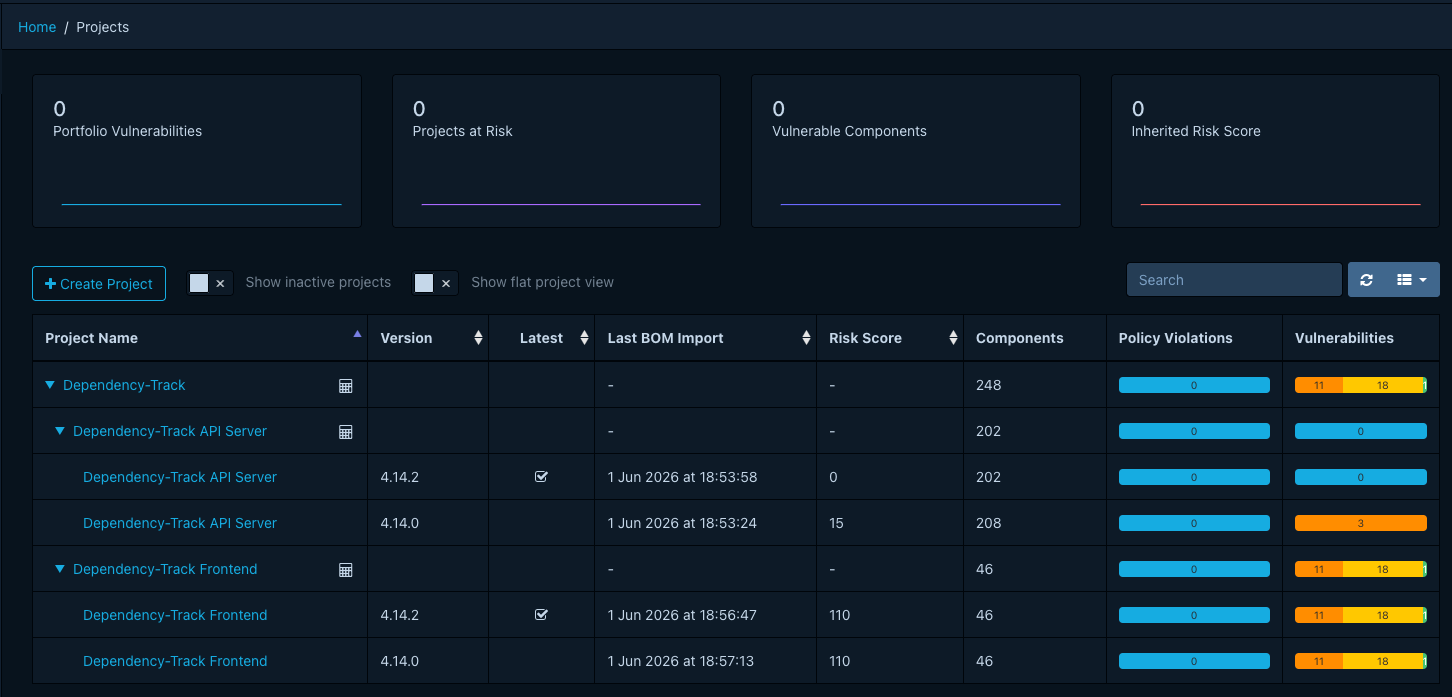
A project can have one parent and any number of children. Hierarchies are organizational: they let you group by product, environment, team, or any other axis that fits how you work.
Two things flow through the hierarchy:
- Access control. A team that can see a parent can also see the parent's descendants. See Access control.
- Aggregated metrics on collection projects. A collection project reads metrics from its children to produce its own. Regular parents do not. The risk score on a regular parent reflects only that parent's own components, not its children.
Constraints worth remembering:
- A project cannot be its own ancestor. Dependency-Track rejects cycles.
- The hierarchy does not affect identity. A name and version pair remains globally unique, so the same combination cannot appear under two different parents.
(Inactive projects cannot serve as a parent either. See Active and inactive projects.)
Collection projects
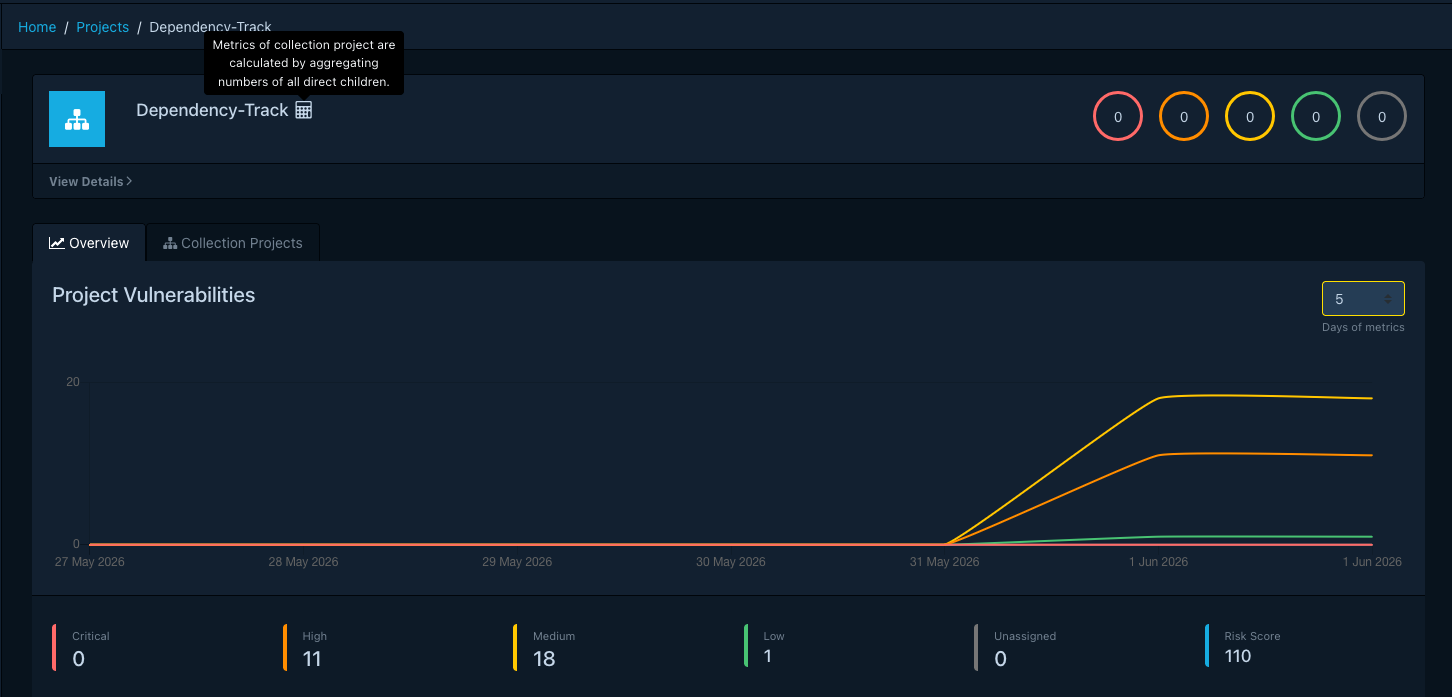
A collection project is a parent whose only role is to combine metrics from its children. It holds no components or services of its own. Instead, it surfaces the metrics of its children using one of three modes:
| Mode | Behavior |
|---|---|
| Roll up every direct child | Combines metrics from every direct child. |
| Roll up by tag | Combines metrics from direct children carrying a chosen tag. |
| Roll up the latest version | Combines metrics from direct children marked as the latest version. |
Collection projects are useful for product or portfolio aggregations that span versions, services, or environments without forcing every child to share a tag scheme. They differ from regular parents in three important ways:
- They have no classifier. The classifier field disappears once a project becomes a collection project.
- They cannot have components, services, or a dependency graph. The detail page hides those tabs and shows a Collection Projects tab listing children instead.
- They do not accept BOM uploads.
For when to reach for which mode and how to set them up, see Organizing projects into hierarchies.
Versions
Two or more projects can share a name. Together they represent the version history of one logical thing. A latest version flag marks one of them as current. At most one version per name carries the flag.
The latest-version flag drives:
- The latest-version collection mode.
- The badge URLs that resolve a project by name without specifying a version.
- The LATEST VERSION badge in the project header.
Because Dependency-Track does not parse version strings, nothing here is automatic. You set the flag manually when promoting a release. Cloning a project produces a new sibling with chosen inclusions (components, services, tags, properties, audit history, access list, policy violations) and is the typical path for starting a new version. See Managing project versions.
Tags and properties
A project carries two kinds of metadata. A tag is a categorical label that many projects can share. Policies, alerts, the tag-filtered collection mode, and the project list filter all read tags. For the wider model see About tags. A project property is a typed key-value pair (group, name, value, type, optional description) scoped to one project. The policy engine, alerting, and collection logic do not consult properties. Use a tag for a label that may apply to many projects, and a property for per-project structured data you want to read back later.
Retention
By default, inactive projects stick around indefinitely. When the operator turns on retention, a scheduled maintenance task deletes inactive projects according to one of two policies:
- By age: delete inactive projects older than a configured cutoff.
- By version count: keep the most recent N inactive versions per name, and delete the rest.
Active projects are never touched. See Configuring project retention.
Access control
Each project has an access list. A team can see a project when:
- The team appears on that project's access list, or on the access list of the project's ancestors. Granting a team access to a parent also grants access to every descendant.
- The team holds the
PORTFOLIO_ACCESS_CONTROL_BYPASSpermission, which overrides the access list entirely.
Use this when designing a hierarchy: shared access concerns sit at parents, and the children inherit them automatically. To revoke inherited access, remove the team from the ancestor that granted it. A descendant cannot opt out on its own.
For the wider model (users, teams, and which permissions gate which actions), see About access control and the Permissions reference.
