Creating a component policy
In this tutorial, we will write a component policy that fails any
project containing a component licensed under something other than a small allow-list of permissive
licenses. We will use an Expression condition built around the
spdx_expr_allows function so we
can match on full SPDX license expressions, not just plain license identifiers. Once the policy is
in place, we will upload a small CycloneDX BOM that deliberately includes one well-licensed and one
ill-licensed component, and watch the violation appear on the project.
By the end, we will have a portfolio-wide policy and a project showing a FAIL license violation we
can audit.
What we need
- A running Dependency-Track stack from the Quick start.
- An account with the
POLICY_MANAGEMENTandBOM_UPLOADpermissions.
Creating the project
A policy fires on BOM upload, so we start by creating a project to upload to. We open
Projects > Create Project, name it policy-demo, and save.
Creating the policy
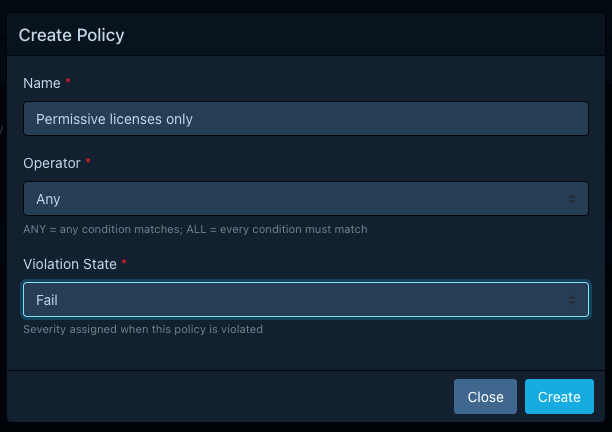
We open Policy Management > Policies and click Create Policy with these values:
| Field | Value |
|---|---|
| Name | Permissive licenses only |
| Operator | Any |
| Violation state | FAIL |
The state matters: FAIL is what makes the violation block CI/CD checks downstream. See
Violation states for the others.
After saving, the new policy shows up in the list. We open it to add a condition.
Writing the condition
We click Add Condition and pick the Expression subject. The editor switches to a CEL editor with
autocompletion. We pick License as the violation type and enter:
!spdx_expr_allows(component.license_expression, [
  "MIT",
  "Apache-2.0",
  "BSD-3-Clause",
  "ISC"
])
What this does: spdx_expr_allows
returns true when the SPDX expression on the left is satisfiable using only licenses on the
right. We negate it so the condition matches (and raises a violation) when the component's license
is not one of the four permissive licenses we listed.
Note
Components without a license_expression field would currently fail this check vacuously.
For production use, the reference example
shows the has(...) ? ... : component.resolved_license.id fallback. We are skipping it here so
the focus stays on spdx_expr_allows.
We click Update on the row to save the condition.
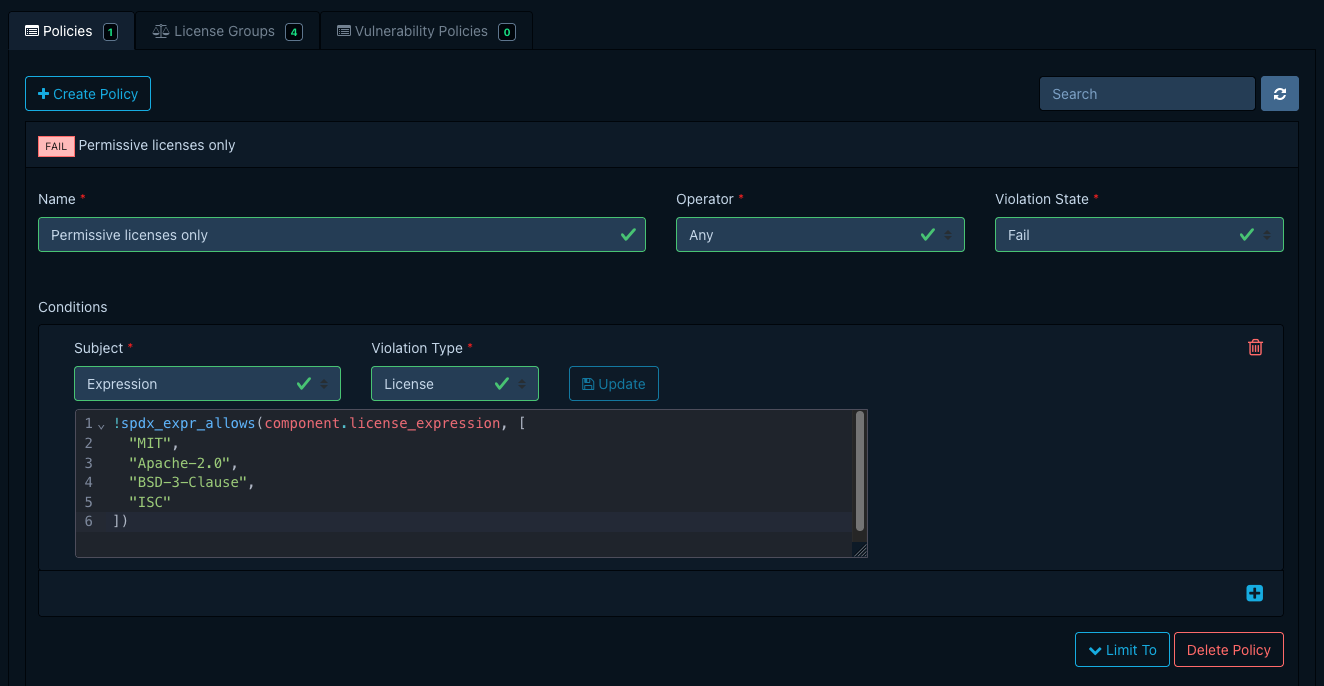
We are leaving the Projects and Tags options empty so the policy applies to the entire portfolio.
Uploading a sample BOM
We need a BOM that exercises both branches of the condition. The following CycloneDX file has one
permissive component (mit-lib, MIT) and one (font-lib, MIT AND OFL-1.1) that bundles a font
asset under an additional license that isn't on our allow-list:
| policy-demo.cdx.json | |
|---|---|
1 2 3 4 5 6 7 8 9 10 11 12 13 14 15 16 17 18 19 20 21 | |
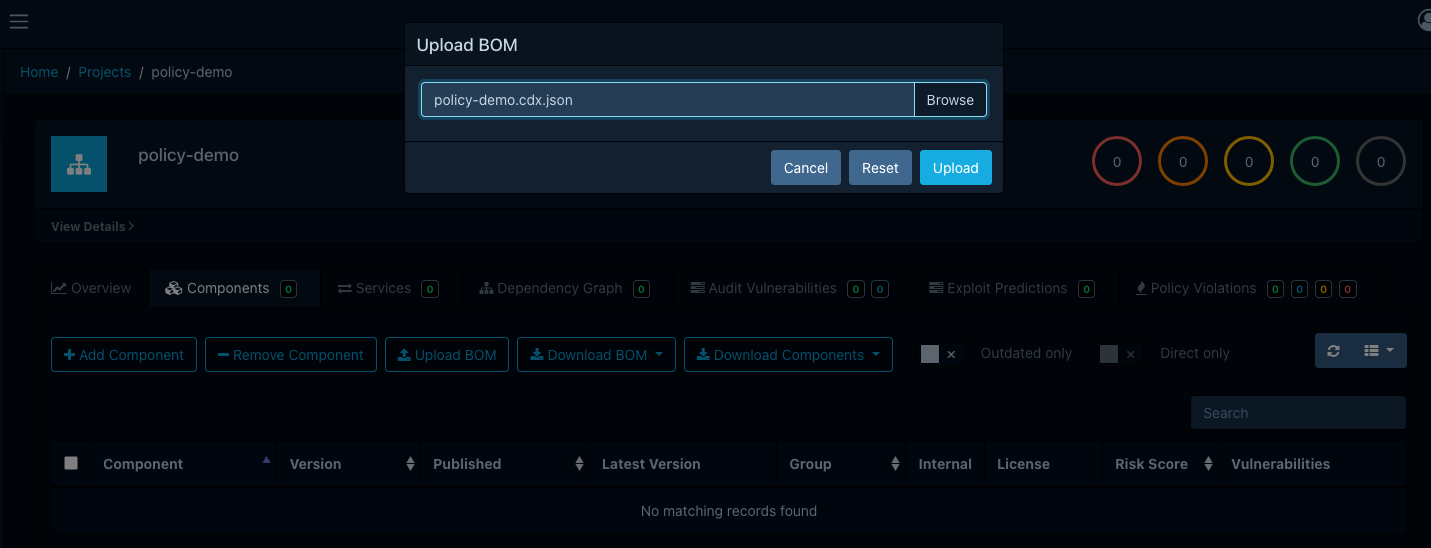
We open the policy-demo project, switch to the Components tab, and use Upload BOM to upload
the file.
Seeing the violation
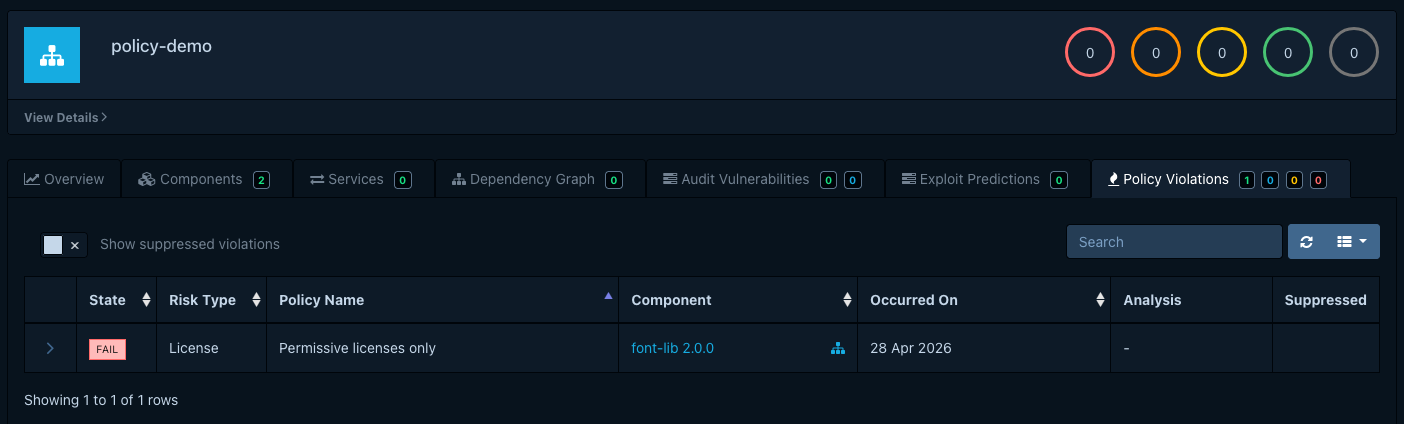
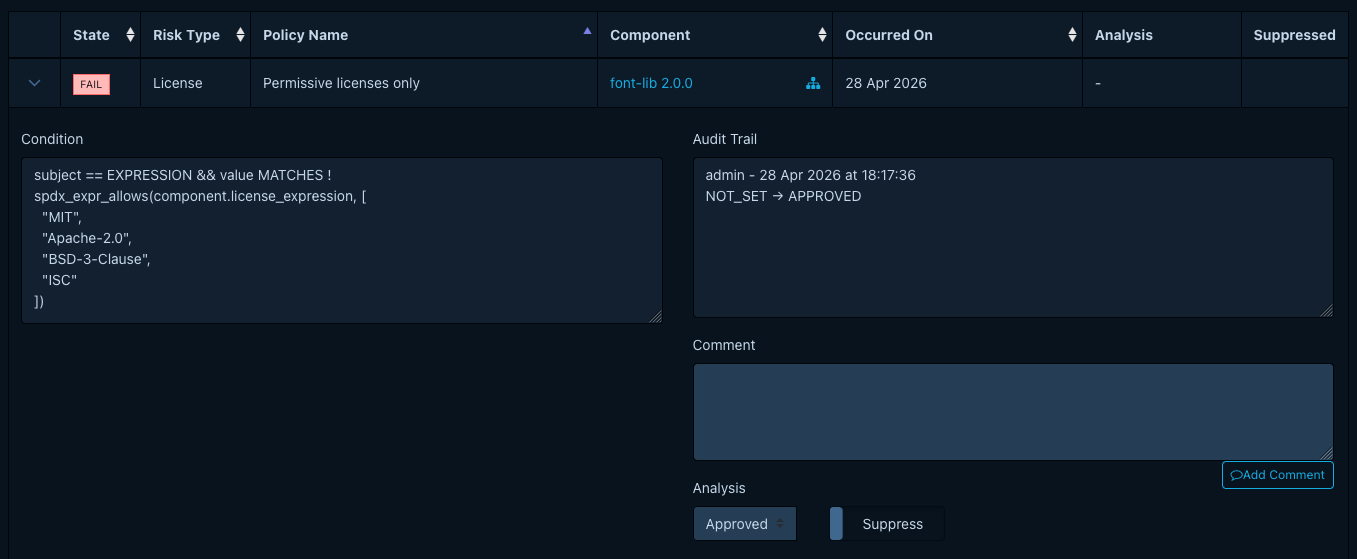
After analysis finishes, we open the Policy Violations tab on the project. One row appears:
- Component:
font-lib 2.0.0 - Violation type:
License - State:
FAIL - Policy:
Permissive licenses only
The MIT-licensed component does not appear: its license is on the allow-list, so the expression
returned true and the negation made the condition false. font-lib is flagged even though MIT
is allow-listed: the AND requires both sides to be satisfiable from the allow-list, and
OFL-1.1 is not.
Auditing the violation
We open the violation's drawer, set its analysis state, and add a short comment to record what we decided. To ignore this finding for the purposes of metrics and gating, we'd also toggle Suppressed. Triaging policy violations covers the full triage workflow.
What we just did
We authored a portfolio-wide component policy whose single condition is a CEL expression. We saw
that condition match a BOM containing a non-permissive license, produce a FAIL violation, and
expose that violation for auditing.
From here:
- Managing component policies covers the rest of the editor: project assignment, tag-based scoping, and license groups.
- About component policies explains the model in more depth and how component policies relate to vulnerability policies.
- Condition expressions lists every CEL variable, custom function, and worked example available to expression conditions.
