Publishers
Restricting destinations
Dependency-Track only connects to publisher destinations that
dt.outbound.allowed-destinations allows.
Changed in 5.2.0
Before 5.2.0, the email and Kafka publishers used their own properties. To allow local connections, set:
dt.notification-publisher.email.allow-local-connections=truedt.notification-publisher.kafka.allow-local-connections=true
See Upgrading to v5.2.0.
Console
Publishes notifications by writing them to standard output.
This publisher targets testing scenarios. It exposes no configuration options.
Email
Publishes notifications as emails. The publisher supports the SMTP and SMTPS protocols.
Global Config
The global configuration defines how Dependency-Track connects to your email server.
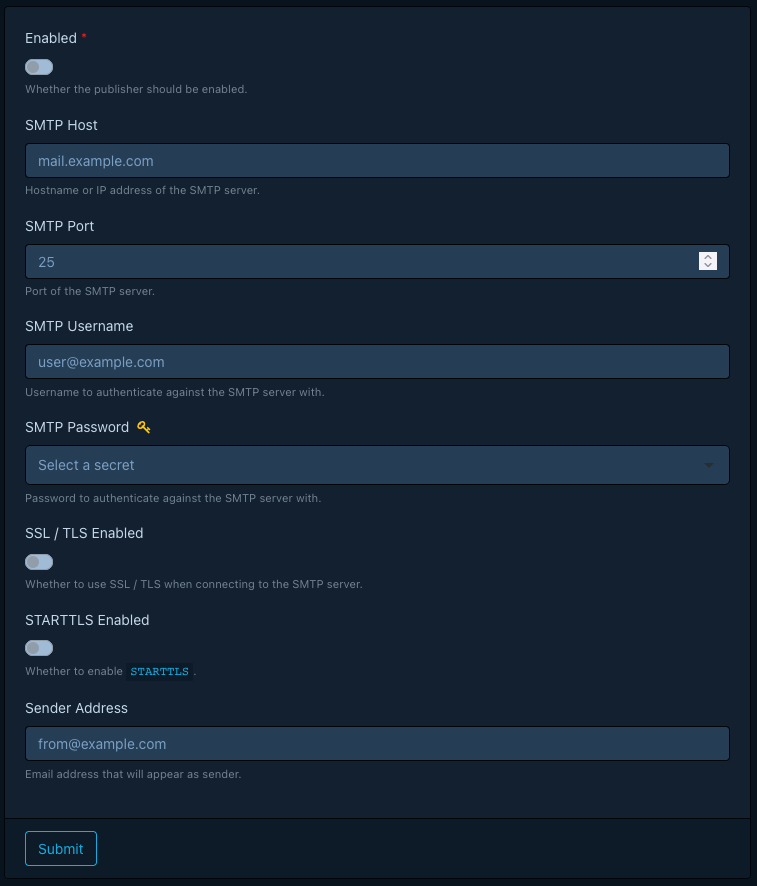
Alert Config
The alert configuration defines the recipients of email notifications, along with an optional subject prefix.
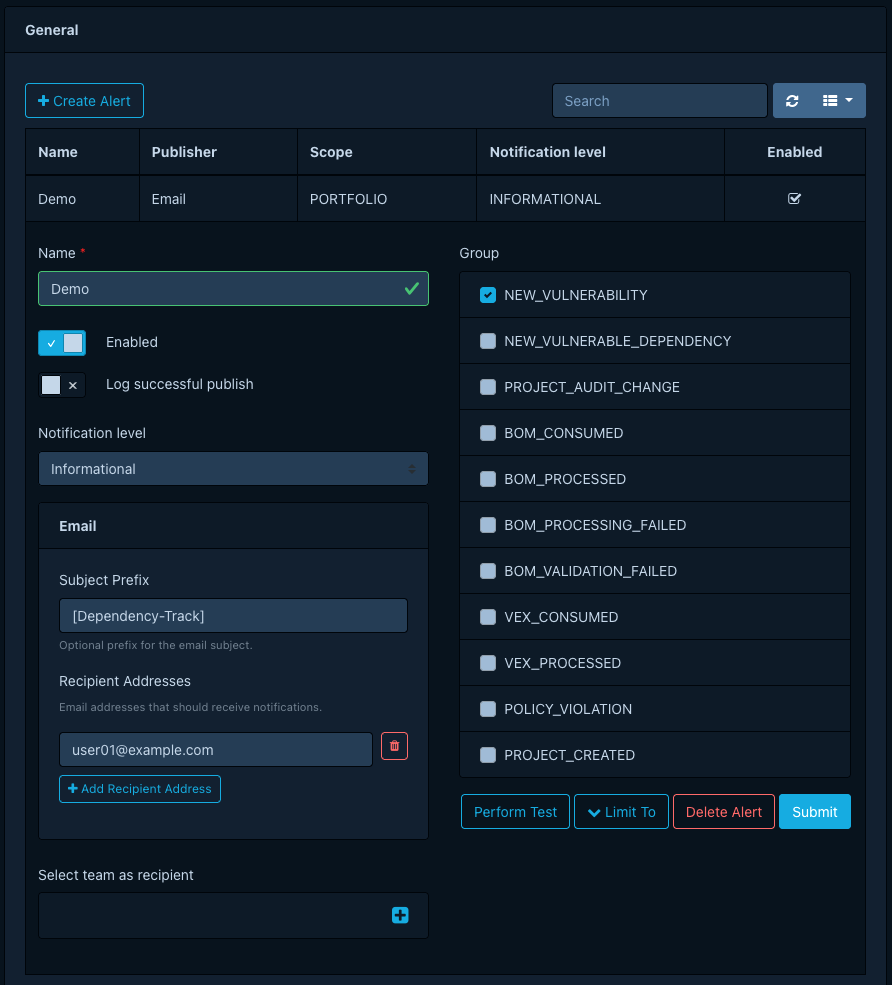
Beyond listing recipient addresses explicitly, you can also name one or more teams as recipients. When you name teams, the publisher delivers emails to every member of those teams.
You can mix explicit recipient addresses and teams, but you must configure at least one of the two.
Jira
Publishes notifications by creating issues in an Atlassian Jira instance.
Global Config
The global configuration defines how Dependency-Track connects to your Jira server.
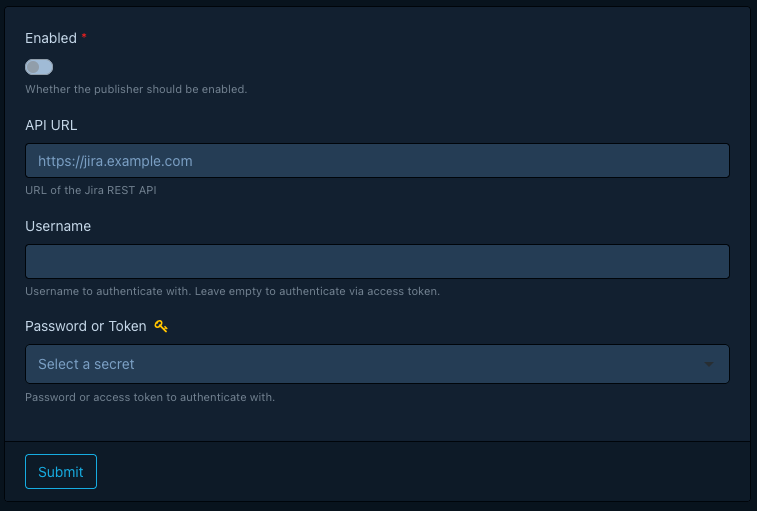
Dependency-Track sends a POST request to {API URL}/rest/api/2/issue when creating an issue.
Depending on your Jira hosting model and authentication setup, configure the fields as follows:
- Jira Data Center or Jira Server: Set API URL to the base URL of your Jira instance (for example,
https://jira.example.com). Specify Username and either a password or personal access token in Password or Token. - Jira Cloud (basic authentication): Set API URL to your site URL (for example,
https://example.atlassian.net). Set Username to the account email address and Password or Token to an Atlassian API token. - Jira Cloud (scoped OAuth 2.0 or API gateway tokens): Set API URL to
https://api.atlassian.com/ex/jira/{cloudId}(without a trailing slash), where{cloudId}is your Atlassian Cloud site ID. Leave Username empty and enter the access token in Password or Token. When Username is empty, Dependency-Track sends aBearerauthorization token instead of basic authentication. Ensure the token grants thewrite:jira-workscope (or the granularwrite:issue:jirascope).
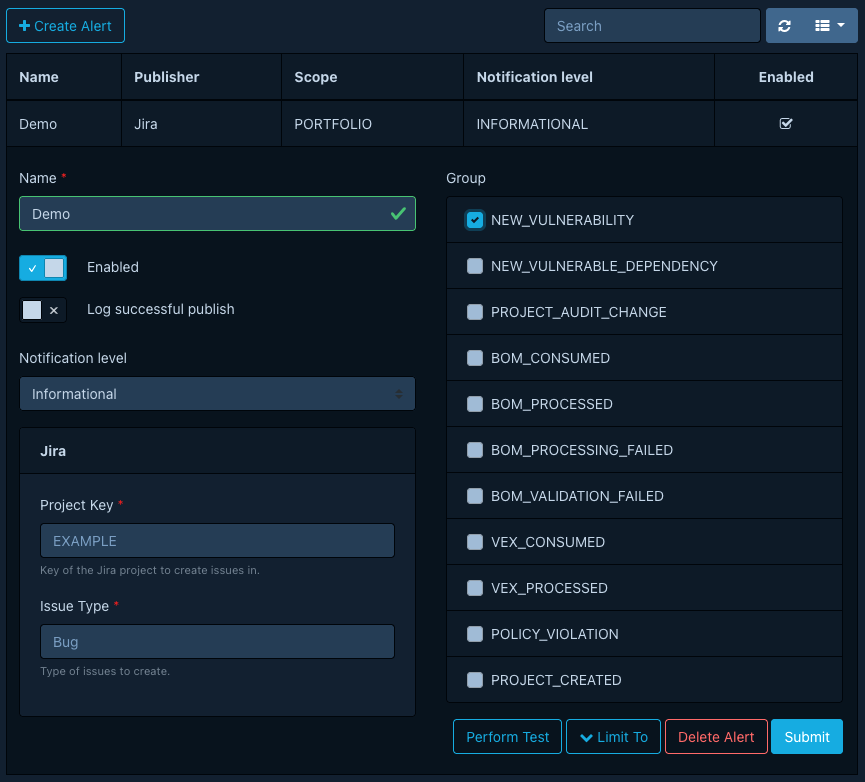
Alert Config
The alert configuration defines properties of the issues to create.
Note
Selecting teams as recipients has no effect for this publisher.
Kafka
Publishes notifications by emitting records to an Apache Kafka cluster.
Global Config
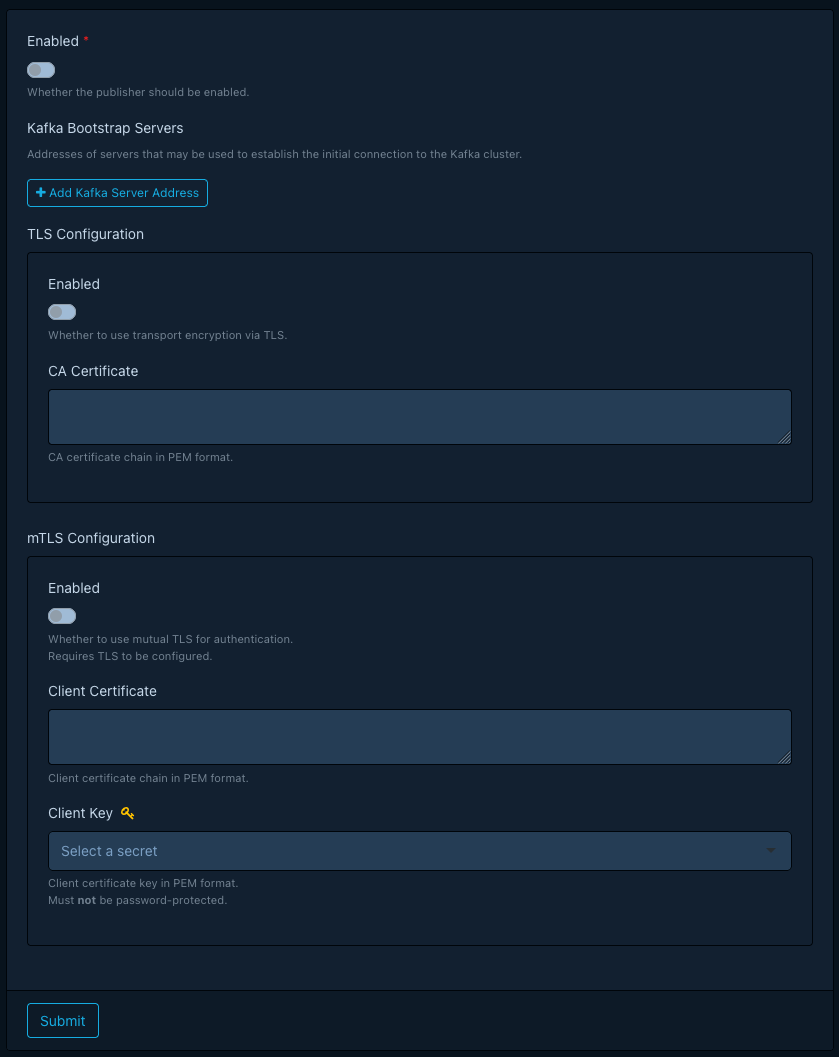
The global configuration defines how Dependency-Track connects to your Kafka cluster.
Configuring TLS
When enabling TLS, you must supply the certificate of the certificate authority (CA) that signed the certificate your Kafka brokers use. The certificate must be in PEM format and must not carry encryption, that is, not password-protected.
Configuring mTLS
When enabling mutual TLS, you must supply a client certificate and key in PEM format. Neither must carry encryption. The client key must be a managed secret.
Default Producer Configs
Dependency-Track applies the following configs to the underlying Kafka producer by default:
compression.type:snappyenable.idempotence:true
Alert Config
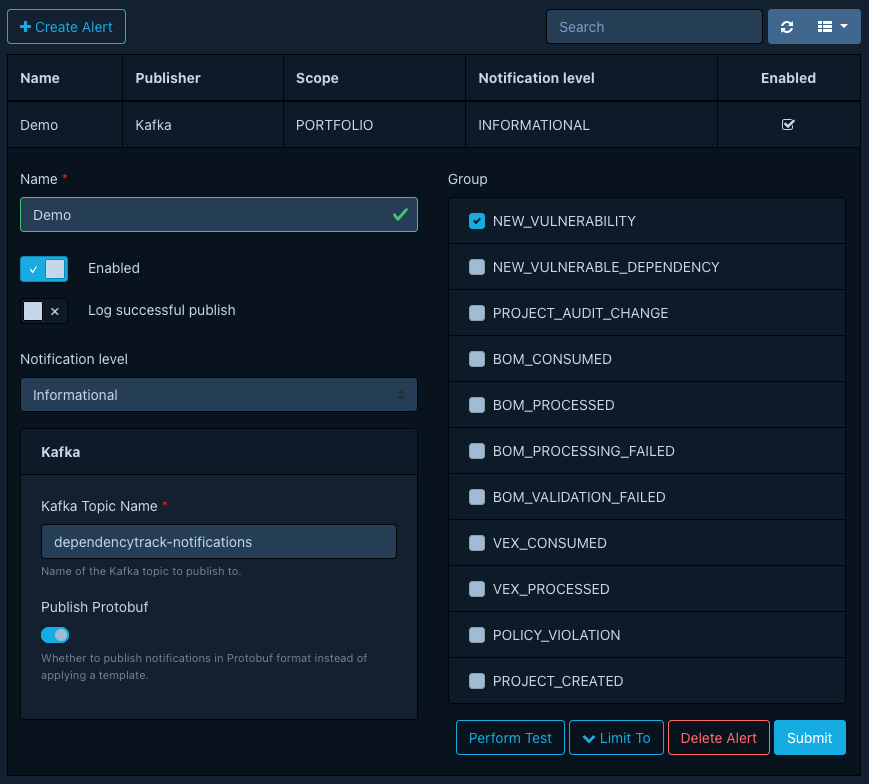
The alert config defines the destination and format of Kafka records emitted by the publisher.
Note
Selecting teams as recipients has no effect for this publisher.
Protobuf
Publish notifications in Protobuf format whenever possible.
Dependency-Track keeps changes to the Protobuf schema backward-compatible,
which matters when a durable log like Kafka retains the notifications.
See the Notification schema reference to download the .proto file and generate client code.
Templating
The Kafka publisher ships without a default template, since it targets Protobuf. If you prefer a different payload format, configure a custom template first.
Record Keys
If a notification's subject is a project (as for groups like BOM_CONSUMED,
NEW_VULNERABILITY etc.), the Kafka record key holds the project's UUID.
If the notification's subject is not a project, the key is null.
Mattermost
Publishes notifications as Mattermost messages.
Alert Config
The alert config defines the destination of Mattermost messages.
This should be the URL of an incoming Webhook.
Note
Selecting teams as recipients has no effect for this publisher.
Microsoft Teams
Publishes notifications as Microsoft Teams messages.
Alert Config
The alert config defines the destination of Microsoft Teams messages.
This should be the URL of an incoming Webhook.
Note
Selecting teams as recipients has no effect for this publisher.
Slack
Publishes notifications as Slack messages.
Alert Config
The alert config defines the destination of Microsoft Teams messages.
This should be the URL of an incoming Webhook.
Note
Selecting teams as recipients has no effect for this publisher.
Webex
Publishes notifications as Cisco Webex messages.
Alert Config
The alert config defines the destination of Microsoft Teams messages.
This should be the URL of an incoming Webhook.
Note
Selecting teams as recipients has no effect for this publisher.
Webhook
Publishes notifications as Webhooks.
Alert Config
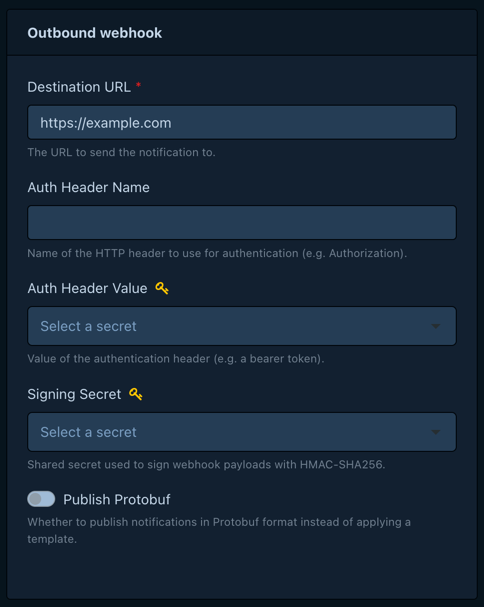
The alert config defines the destination of webhook requests, and optionally how to authenticate and sign them.
Note
Selecting teams as recipients has no effect for this publisher.
Signature
Available in 5.2.0 and later
Earlier versions send webhook requests unsigned.
When the alert config names a signing secret, each request carries an X-Webhook-Signature header.
The signing secret must be a managed secret.
The header value is sha256= followed by the lowercase hex-encoded HMAC-SHA256 of the request body,
keyed with the UTF-8 bytes of the secret. The publisher computes it over the exact bytes it sends,
whether it renders a template or publishes Protobuf.
To verify a request, compute the same HMAC over the raw request body, before parsing it, and compare it to the header value in constant time.
