Filter Expressions
Introduction
Alerts can include a filter expression to control which notifications are dispatched based on their content. Filter expressions are written in CEL (Common Expression Language), the same language used for policy compliance expressions.
Without a filter expression, an alert matches all notifications that satisfy its scope, group,
level, and project or tag restrictions. A filter expression adds a further condition: the
notification is only dispatched when the expression evaluates to true.
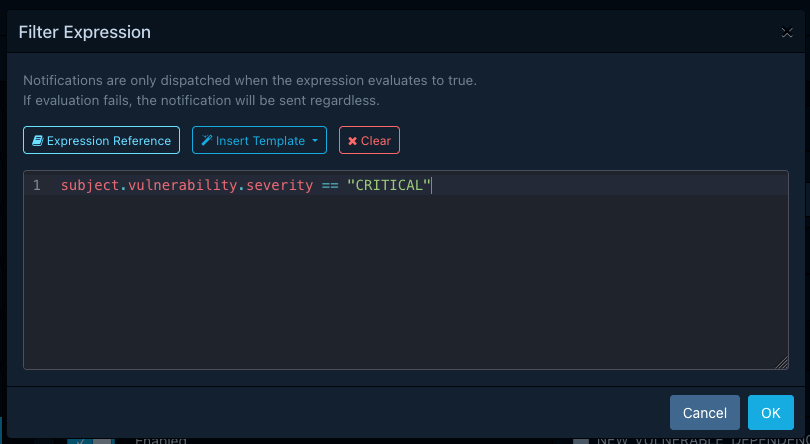
Syntax
Filter expressions use the same CEL syntax as
policy compliance expressions. CEL is not Turing-complete and does not support constructs
like if statements or loops. It compensates for this with macros like all, exists,
exists_one, map, and filter.
Refer to the official language definition for a thorough description of the syntax.
Evaluation Context
The context in which filter expressions are evaluated contains the following variables:
| Variable | Type | Description |
|---|---|---|
level |
Level |
The notification level, as an integer enum value. Use named constants (see below). |
scope |
Scope |
The notification scope, as an integer enum value. Use named constants (see below). |
group |
Group |
The notification group, as an integer enum value. Use named constants (see below). |
title |
string |
The notification title. |
content |
string |
The notification content. |
timestamp |
google.protobuf.Timestamp |
The time at which the notification was created. |
subject |
dynamic | The notification subject, typed according to the notification group (see below). |
Enum Constants
The level, scope, and group variables hold integer values. To compare them in a readable way,
use the named constants from the notification schema:
Subject Types
The subject variable holds the notification's subject, which varies depending on the notification
group. Refer to the notification schema reference
for full details of each subject type and its fields.
| Group | Subject Type |
|---|---|
BOM_CONSUMED, BOM_PROCESSED |
BomConsumedOrProcessedSubject |
BOM_PROCESSING_FAILED |
BomProcessingFailedSubject |
BOM_VALIDATION_FAILED |
BomValidationFailedSubject |
NEW_VULNERABILITY |
NewVulnerabilitySubject |
NEW_VULNERABLE_DEPENDENCY |
NewVulnerableDependencySubject |
POLICY_VIOLATION |
PolicyViolationSubject |
PROJECT_AUDIT_CHANGE |
VulnerabilityAnalysisDecisionChangeSubject or PolicyViolationAnalysisDecisionChangeSubject |
PROJECT_VULN_ANALYSIS_COMPLETE |
ProjectVulnAnalysisCompleteSubject |
VEX_CONSUMED, VEX_PROCESSED |
VexConsumedOrProcessedSubject |
USER_CREATED, USER_DELETED |
UserSubject |
Validation
Filter expressions are validated when an alert is saved. If the expression contains syntax errors or references types that do not exist, the save operation will fail and the errors will be reported with their exact location (line and column).
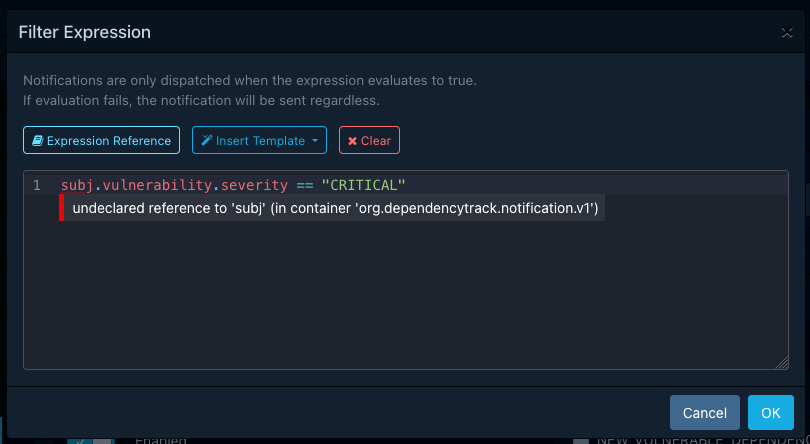
The maximum length of a filter expression is 2048 characters.
Failure Behaviour
If a filter expression fails to evaluate at dispatch time (for example due to accessing a field that does not exist on the subject), the alert matches the notification regardless. This "fail-open" strategy ensures that a broken expression causes over-notification rather than silently suppressing notifications. Evaluation failures are logged as warnings.
Warning
An alert with an expression that consistently fails will behave as though it has no filter expression at all. Check the application logs for evaluation warnings if an alert appears to match more broadly than expected.
Filtering Order
When a notification is dispatched, Dependency-Track evaluates the following filters in order:
- Scope, group, and level matching (configured on the alert).
- Project and tag restrictions (if the alert is limited to specific projects or tags).
- Filter expression (if the alert has one).
The filter expression is only evaluated when the notification has already passed the preceding checks. This means that project and tag restrictions are always enforced, regardless of what the expression contains.
Examples
Only critical and high severity vulnerabilities
The following expression matches NEW_VULNERABILITY notifications where the vulnerability
severity is CRITICAL or HIGH:
Vulnerabilities with a CVSS v3 score above a threshold
Notifications for projects matching a name prefix
The following expression matches notifications whose subject contains a project with a name
starting with acme-:
Tip
For simple project-based filtering, consider using project and tag restrictions on the alert instead. Filter expressions are more useful for content-based conditions that cannot be expressed through project or tag restrictions alone.
Vulnerabilities with a specific CWE
The following expression matches NEW_VULNERABILITY notifications where the vulnerability
has CWE-79 (Cross-site Scripting) among its CWEs:
Combining multiple conditions
The following expression matches NEW_VULNERABILITY notifications for CRITICAL vulnerabilities
with a network attack vector in CVSSv3:
Scheduled alerts: only when critical vulnerabilities were found
For scheduled alerts that produce vulnerability summaries, the subject contains
an overview with vulnerability counts grouped by severity. The following expression matches
only when at least one CRITICAL vulnerability was found in the reporting period:
Optional field checking
CEL does not have a concept of null. Accessing a field that is not set returns its default
value (e.g. "" for strings, 0 for numbers), which can lead to misleading matches.
Use the has() macro to check for field presence before accessing it: